
Webflow website design has become the first thing a lot of consultants ask about after they see a site they love. A leadership coach sends us a link to a sleek agency site. A security consultant wants his firm to look as sharp as the corporate clients he advises. Nine times out of ten, the site they admire was built in Webflow.
That is not a coincidence. Webflow website design gives designers real control over layout, typography and motion without the clutter of themes and page builders. It also hosts your site, handles security updates and produces clean code. For the right business, Webflow website design is a great choice.
But Webflow is a professional tool, and it rewards planning. We design and build on Webflow, WordPress, Wix, Squarespace and Shopify, so we have seen both the beautiful Webflow builds and the ones that turned into a mess six months later. This guide covers what makes the difference.
- Webflow website design gives you precise visual control, fast hosting and clean code, with no plugins to maintain.
- A clear page structure and a simple design system matter more than clever animations.
- The CMS is ideal for case studies, articles, speaking events and team bios.
- Plan how you will edit the site after launch before the design starts.
- Webflow suits consultants who value design and low upkeep. It is not the answer for every business.
What is Webflow website design, really?
Webflow is a visual website builder, a CMS and a hosting platform in one. In the Designer, you work with real web building blocks: sections, containers, flexbox and grid layouts, classes and styles. What you see on the canvas is what the browser gets, written as clean HTML and CSS.
That is the big difference from a typical template builder. In Wix or Squarespace, you mostly adjust a theme. In Webflow, you build the layout from the ground up, which is why Webflow website design work tends to look more custom. The tradeoff is a steeper learning curve. You need to understand how websites are put together, or you need someone who does.
Webflow also handles hosting, SSL, backups and platform updates. There are no plugins to update and no PHP version to worry about. For a busy consultant who has lived through a broken WordPress update, that alone can be a selling point.
Is Webflow right for your business?
Before you commit to Webflow website design, be honest about what you need. Webflow fits some businesses beautifully and others poorly.
| Webflow is a strong fit if you | Consider another platform if you |
|---|---|
| Care a lot about design and brand presentation | Need a large online store with complex products |
| Want low maintenance with no plugins to update | Rely on specific WordPress plugins for your workflow |
| Publish case studies, articles or events regularly | Want to build and redesign the whole site yourself with no learning curve |
| Want a fast, secure site hosted in one place | Need full server access or unusual custom functionality |
| Have a designer or agency to set it up properly | Need a huge library of third party integrations |
If you are still on the fence, our full comparison of Webflow vs WordPress walks through the differences in editing, SEO, ownership and upkeep. For simpler builders, see Wix vs Squarespace.
One honest note. If you want to build the site entirely on your own over a weekend, Webflow website design may frustrate you. It is closer to professional design software than to a simple drag and drop builder. Many of our clients get the best of both: we build the site properly, and they handle everyday content updates without needing us.
1. Start with structure, not visuals
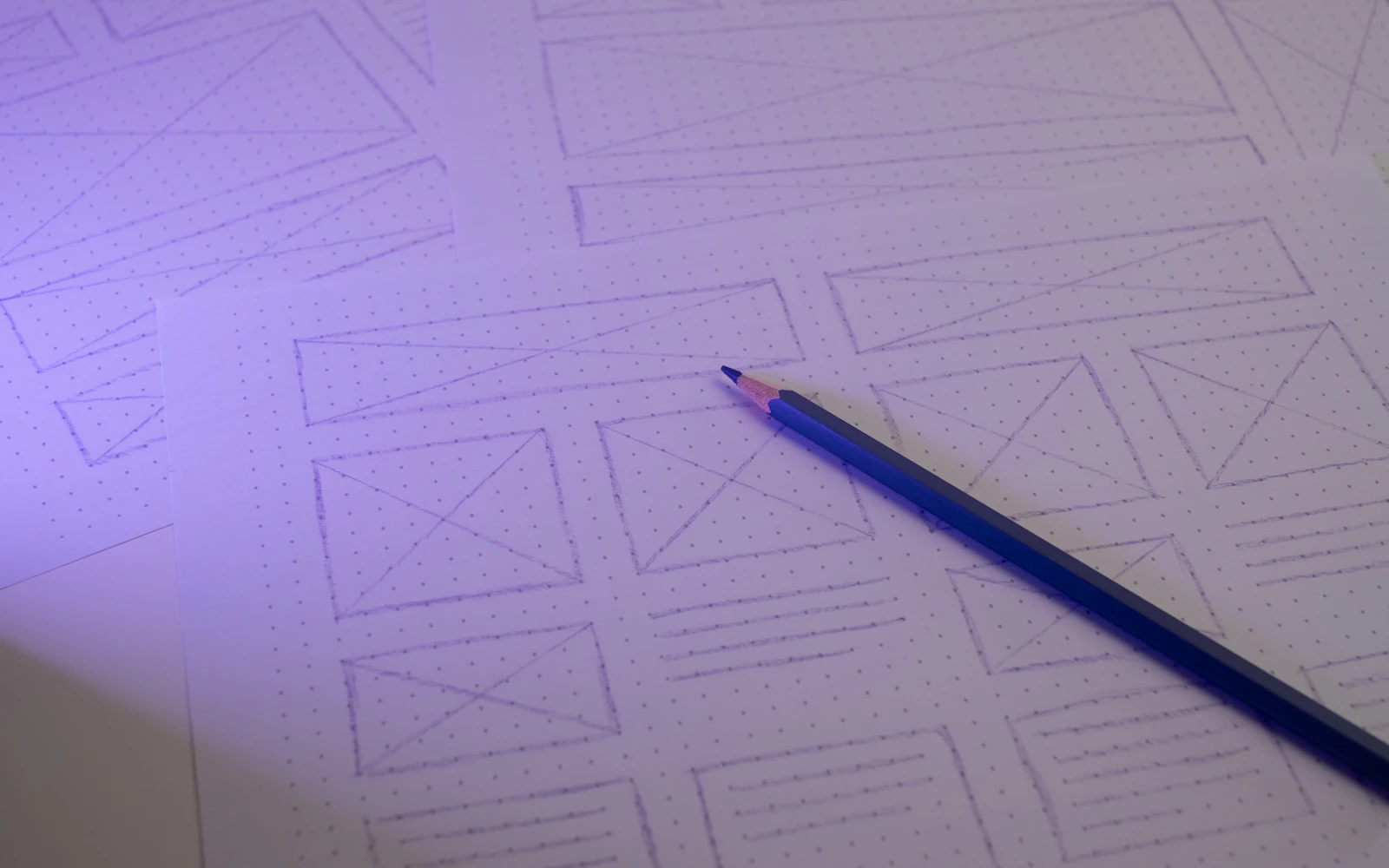
The best Webflow website design projects we have done started with a sitemap and a page outline, not a mood board. Who is the site for? What should they do? Which pages do they need to see before they trust you?
For a consultant, that usually means a clear homepage, one page per core service, an about page with real credentials, proof (case studies, testimonials, logos), and an easy way to get in touch. An expert witness needs a CV and case history. A keynote speaker needs topics, video and a booking path for event planners.
Get this agreed in writing before anyone opens Webflow. Changing structure later is much harder than changing colors. Our web design process explains how we run this stage.

2. Build a simple design system first
Webflow is built around classes and reusable styles. That is a gift if you set it up well and a curse if you do not. A site where every heading has its own one off class becomes painful to update, and that is a common Webflow website design problem we inherit.
We set up a small style guide page inside the project before building real pages. It includes headings, body text, buttons, links, form fields, colors and spacing. Webflow’s variables let you define colors, sizes and fonts once and reuse them everywhere. Change the brand blue in one place, and it updates across the site.
This is where Webflow website design overlaps with brand work. If your brand colors and fonts are not settled, sort them out first. Our guides to building a brand style guide and choosing a brand color palette help with that.
3. Use components for anything that repeats
Navigation, footers, call to action bands, testimonial blocks and contact sections appear on many pages. In Webflow, turn these into components (Webflow used to call them symbols). Edit the component once, and every page updates.
Components can also have properties, so the same call to action block can show different text on different pages while keeping one design. On a consultant site with ten or fifteen pages, this saves a lot of time and keeps the site consistent.
4. Design for every screen size from day one
Webflow lets you style for desktop, tablet and several phone sizes, with each breakpoint inheriting from the larger one. Good Webflow website design checks every breakpoint as the build goes, not at the end.
This matters because your buyers often see you on a phone first. A school district facilities director might check your site between meetings. A conference organizer might look at your speaker page from a train. Use flexible layouts with flexbox and grid, avoid fixed widths, and test real phones. Our guide to mobile friendly website design has a full checklist.
5. Use interactions with restraint
Webflow’s interactions and animations are one of its best features, and also the most overused. Scroll triggered fades, parallax, animated counters, hover effects. A little motion makes a site feel polished. Too much makes it feel slow and distracting.
Motion should guide the eye toward what matters. If it just shows off, cut it.
Our rule: every animation needs a reason. Draw attention to a call to action, reveal a process step, or give feedback on a hover. Respect users who prefer reduced motion, and never hide key content behind an animation that might fail.
Thinking about a Webflow build?We plan, design and build Webflow sites for consultants and small firms, and we will tell you honestly if another platform fits better.
6. Plan your CMS collections early
The Webflow CMS is excellent for content that repeats with the same structure. For consultants, that often means case studies, articles, speaking engagements, media mentions, team bios and testimonials.
You create a collection, define its fields (title, summary, image, date, client type and so on), then design one template page. Every new item uses that template automatically. You can also show collection items on other pages, like the three latest articles on your homepage.
CMS planning tips for Webflow website design
- List every type of repeating content before the build starts.
- Keep fields simple. Fewer fields means easier editing.
- Include SEO fields for title and description so each item can be optimized.
- Use reference fields to connect items, like linking case studies to services.
Getting this right early is one of the biggest differences between a Webflow website design that grows with you and one you outgrow in a year.
7. Make editing easy for you and your team
A beautiful site that you cannot update is a liability. Webflow lets clients and collaborators edit content directly on the page, adding blog posts, swapping text and uploading images, without touching the design. That is a big part of why we like Webflow website design for consultants.
Before launch, decide who will update what. Editing is part of Webflow website design, not an afterthought. Will you add case studies yourself? Will an assistant post articles? Set up the right access, keep the editable parts clear, and record a short walkthrough. We always do a training session at handoff, because a site nobody touches goes stale fast.
8. Build SEO in, not on
Webflow gives you solid SEO controls: custom titles and meta descriptions for every page, SEO fields on CMS templates, clean URLs, automatic sitemaps, 301 redirects, Open Graph settings and alt text on images. The code it produces is clean, and its hosting is fast.
But tools are not results. Good Webflow website design uses a proper heading structure, real content on each service page and internal links between related pages. We wrote a full guide to Webflow SEO, and our broader on page SEO checklist applies on any platform. For official guidance, Google’s SEO starter guide is still the best free reference.

9. Keep accessibility and speed in mind
Webflow does not make a site accessible on its own. You still need good color contrast, readable font sizes, proper headings, alt text, labeled form fields and focus states for keyboard users. Webflow includes an audit panel that flags common issues, which helps. The W3C Web Accessibility Initiative explains the standards in detail, and our website accessibility checklist turns them into plain steps.
For speed, Webflow’s hosting and responsive image handling give you a head start. You can still slow a site down with huge background videos, heavy fonts, too many interactions or third party scripts. Compress images, limit font weights and test with real speed data. See our guide to Core Web Vitals.
10. Connect forms and tools properly
Webflow has native forms that send submissions to your email and store them in the dashboard. For most consultants, that is enough. If you need more, Webflow connects with email marketing tools, CRMs and scheduling apps through native integrations, embeds or automation services.
Think about what happens after someone fills in the form. Do they get a confirmation? Does the inquiry land in your CRM? Is there a booking link? Small details like these are part of good Webflow website design, because they decide whether a lead turns into a call.
One more thing we see often: a form that works on launch day and then quietly stops sending notifications months later, because someone changed an email address or an integration expired. Send yourself a test inquiry every month. It takes a minute, and it can save you from missing a speaking request or a retainer inquiry. If you collect email signups, connect them to a proper list from day one. Our guide on how to build an email list explains why that list becomes one of your most useful assets.
11. Launch with a checklist and keep improving
Launch day is not the finish line. Before you publish, check every page on desktop and mobile, test every form, set redirects from old URLs, connect your domain, add analytics and submit your sitemap to Google Search Console. Our website launch checklist covers the full list.
After launch, watch how people use the site. Which pages get visits? Where do inquiries come from? Add content regularly through the CMS. The best Webflow website design is never really finished. It improves as your business grows.
What to prepare before a Webflow website design project
The fastest Webflow builds we run are the ones where the client arrives prepared. You do not need everything perfect, but a few things make a huge difference to the timeline and the result.
- Your goals. What should the site do? More inquiries, speaking bookings, credibility with corporate buyers?
- Your audience. Who reads it, and what do they need to see before they call you?
- Your content. Service descriptions, your bio, case studies, testimonials. Drafts are fine.
- Your brand assets. Logo files, colors, fonts and good photos. A professional headshot matters more than most people think.
- Examples you like. Three or four sites, and what you like about each one.
Content is the part that slows most Webflow website design projects down. Designers can build a beautiful layout in days, then wait weeks for the words. If writing is not your thing, our website content checklist and website copywriting tips will get you moving.
How we run a Webflow website design project
Every agency has its own process. Ours is built around busy consultants who do not have time for endless meetings, so it is simple and predictable.
- Discovery call. We learn about your business, buyers and goals, and confirm Webflow is the right platform.
- Structure. We agree on the sitemap, page outlines and CMS collections.
- Design. We design the key pages and the style guide, then refine with your feedback.
- Build. We build in Webflow with clean classes, components and responsive layouts.
- Content and SEO. We add content, titles, descriptions, alt text and redirects.
- Launch and training. We test, publish and show you how to edit the site.
Scope varies a lot from one Webflow website design project to the next, so we never guess at cost or timing before we understand what you need. A short call usually answers both questions.
Common Webflow website design mistakes
We get asked to rescue Webflow sites fairly often, and the problems repeat:
- Messy class names. Hundreds of one off classes make every change slow and risky.
- No CMS planning. Case studies built as static pages that need full design work every time.
- Animation overload. Slow pages and distracted visitors.
- Missing SEO basics. Default titles, no meta descriptions, no alt text.
- No editing plan. The owner cannot update anything without calling the designer.
Every one of these Webflow website design mistakes is avoidable with planning. Our small business website mistakes guide covers the broader list.
Frequently asked questions
Is Webflow website design good for consultants?
Yes, for many consultants it is a great fit. Webflow website design gives you a polished, custom look, fast hosting and very little maintenance. It suits consultants who care about how they present themselves and publish case studies or articles regularly.
How long does a Webflow website design project take?
It depends on the number of pages, the content you have ready and how much custom design you need. Content is usually the slowest part. We give a clear timeline after a short discovery call.
Can I update a Webflow site myself?
Yes. Webflow lets you edit text, images and CMS content directly on the page without touching the design. We set this up and train you at handoff so you can make everyday changes on your own.
Is Webflow better than WordPress?
Neither is better for everyone. Webflow wins on design control and low upkeep. WordPress wins on plugins, flexibility and ownership. Our Webflow vs WordPress guide covers the details.
Can you redesign my existing Webflow site?
Yes. We often clean up existing Webflow builds, fixing class structure, CMS setup and SEO, or redesign them completely. We start by reviewing what you have and what you need.
Let’s plan your Webflow site together
Webflow website design is powerful in the right hands. With a clear structure, a simple design system and a plan for editing, it can give a consultant or small firm a site that looks premium and runs with very little upkeep.
If you are considering Webflow website design for your business, or you have a Webflow site that is not working for you, we would like to hear about it. Design Fly 24 is a New York agency building sites for consultants, experts and small firms across the US. Have a look at our work, then book a free call. We will talk through your goals and tell you honestly whether Webflow is the right fit.
