

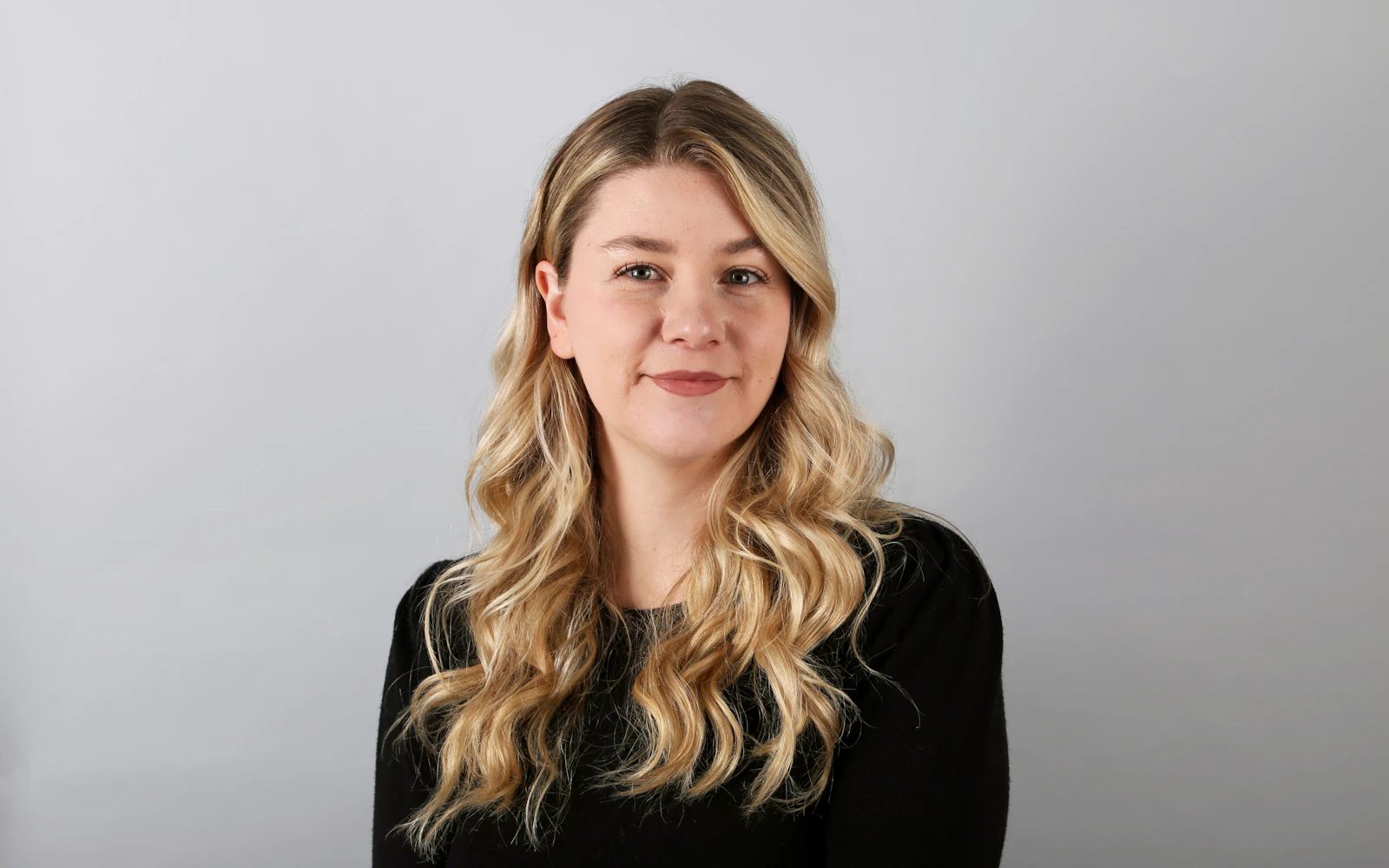
Professional headshot tips usually get treated as an afterthought, something you look up the night before a photographer shows up. Then the photos arrive, and you realize you will be living with them on LinkedIn, your website, every conference program and every proposal for the next three years.
Think about how often your face shows up before you do. An event planner shortlisting keynote speakers scrolls past twenty small photos. A general counsel looks up the expert witness her colleague recommended. A school superintendent checks the LinkedIn profile of the consultant who just emailed. In each case, the photo is the first piece of evidence about who you are.
We help consultants and speakers plan their brand photos as part of websites and LinkedIn work at Design Fly 24. These are the professional headshot tips we share with every client before their shoot, in the order you will need them.
- The best professional headshot tips start with where the photo will be used: LinkedIn, your website, speaker materials and print.
- Dress the way you show up for your best clients, in solid colors that fit your brand.
- Soft, even light and a relaxed, genuine expression matter more than an expensive camera.
- Give your photographer a written brief and ask for vertical, horizontal and square crops.
- Update your headshot every two to three years, or sooner if your look changes.
Why professional headshot tips matter more for consultants
When you sell expertise, you are the product. A software company can lead with screenshots. A consultant, coach or expert witness leads with a person. Your photo is doing a job that a logo cannot do on its own: showing a real, trustworthy human behind the services.
Research from the Nielsen Norman Group on photos as web content found that people pay close attention to photos of real people and largely ignore generic stock imagery. That fits what we see. A site with a warm, clear headshot on the about page feels personal. A site with a stock handshake feels like a template.
A weak headshot creates small doubts. A cropped wedding photo, a dark selfie in the car, or a picture from twelve years ago all whisper “this person does not pay attention to details.” Following a few professional headshot tips removes those doubts before anyone has a chance to form them.
1. Plan for every place the photo will appear
The first of our professional headshot tips has nothing to do with clothes or cameras. Before you book anyone, list every place your photo will live. Good professional headshot tips always begin there. For most consultants the list looks like this:
- LinkedIn profile: a small circle, often viewed on a phone.
- Website: your about page, a homepage hero, author bios on blog posts. Our guide on how to write an about page shows how the photo fits in.
- Speaker materials: conference programs, event websites, slides introducing you, printed posters.
- Proposals and reports: a small photo on a team or credentials page.
- Media and podcasts: hosts will ask for a high resolution photo with little notice.
Each of these needs a slightly different shot. A tight crop works for LinkedIn. A wider, horizontal image with space beside you works for a website hero where text sits on top. A vertical shot fits speaker sheets. Knowing this in advance changes how the photographer frames every image.

2. Professional headshot tips for wardrobe
The simplest of all professional headshot tips: dress the way you show up for your best clients, then go one small step more polished. If you meet school boards in a blazer and open collar, wear that. If you testify in court in a dark suit, bring that. The photo should look like the person who walks into the meeting, not a stranger in borrowed clothes.
Wardrobe is where professional headshot tips get the most specific:
- Solid colors beat patterns. Small checks and thin stripes can shimmer on screens. Large logos distract.
- Mid tones and deep colors flatter most people. Navy, charcoal, deep green, burgundy and soft blues photograph well. Bright white can glare, and all black can lose detail.
- Think about your brand colors. A top that works with your brand color palette will sit nicely on your website.
- Fit matters more than price. A well fitted jacket looks better than an expensive one that pulls at the buttons.
- Bring options. Two or three outfits let you get a formal look and a more relaxed one in the same session.
Press everything the night before and bring a lint roller. Wrinkles and lint are the most common things we end up retouching.
3. Pick a background that fits your brand
The background sets the tone more than people expect. A plain studio backdrop says formal and classic. An office or city scene says approachable and current. Neither is wrong; it depends on your buyers.
Our professional headshot tips for backgrounds, by buyer type:
- Plain gray or soft white: safest for expert witnesses, attorneys and consultants who work with conservative buyers. Easy to cut out for print.
- Soft, blurred office or architectural background: feels modern and warm. Great for websites and LinkedIn.
- Outdoor city or natural setting: works for coaches, trainers and speakers who want warmth. Watch for distracting signs or bright spots.
Whatever you choose, keep the background simple and slightly out of focus so your face stays the subject. A busy bookshelf or a branded wall can date the photo quickly.
4. Professional headshot tips for lighting
Of all the professional headshot tips here, lighting gets the least attention and makes the biggest difference. It separates a photo that looks professional from one that looks like a passport. Soft, even light from the front and slightly to one side flatters almost everyone. Hard light from directly above creates shadows under the eyes and makes people look tired.
A good photographer handles this with studio lights or by placing you near a large window. If you are working with a less experienced photographer, these professional headshot tips on light will help you spot problems on the spot:
- Look for a small reflection of light in your eyes. It makes the face look alive.
- Avoid harsh midday sun outdoors. Open shade or a cloudy day is much kinder.
- Check for shine on the forehead and nose. A little powder fixes it for everyone, not only for people who wear makeup.
- Glasses wearers: ask the photographer to angle the lights to avoid glare on the lenses.
5. Professional headshot tips on expression, not posing
The expression is what people remember, so most professional headshot tips eventually come back to it. Most clients want to look “approachable but competent,” which is a hard face to make on command. Stiff smiles happen when you think about your face instead of a person.
Here are the professional headshot tips that help most with expression:
- Think of a specific client you like. Picture greeting them at the door. Your eyes soften naturally.
- Squint very slightly. Photographers call it a “squinch.” It reads as confident instead of startled.
- Move your face toward the camera a little. It sharpens the jawline and looks engaged.
- Get a range. A closed mouth smile, a full smile and a thoughtful neutral look. Different uses need different moods.
- Talk during the shoot. A good photographer keeps you chatting. The best frames often come between poses.
Clients do not hire the most polished face. They hire the one that looks like it would pick up the phone.
Planning a new headshot for your website and LinkedIn?We can write the photographer brief and place the final photos so they look right everywhere.
6. Write a short brief for your photographer
A written brief is one of the most useful professional headshot tips we give, and almost nobody does it. It also takes the least time of anything on this list. Photographers are good at their job, but they cannot read your mind about how the photos will be used. One page saves an hour of guessing on the day.
Your brief should cover:
- Who you are and who you serve. “Independent school safety consultant. Buyers are superintendents and facilities directors.”
- Three words for the feel. For example, “steady, warm, experienced.”
- Where photos will be used and which crops you need (see the table below).
- Background preference and any brand colors to consider.
- Example photos you like from other professionals, with a line on what you like about each.
- Delivery details: file sizes, number of edited images, turnaround time and usage rights.
Ask about usage rights in writing. You want to be able to use the images on your website, LinkedIn, speaker materials, media requests and print without asking permission every time.
7. Ask for every crop you will need
This is where many shoots fall short. The photographer delivers ten lovely, tight vertical portraits, and then the web designer needs a horizontal image with space for a headline. Planning the crops is one of the professional headshot tips that saves the most frustration later.
| Where it goes | Crop and orientation | What to watch for |
|---|---|---|
| LinkedIn profile photo | Square, head and top of shoulders, face filling most of the frame | Shown as a small circle, so keep the face centered |
| LinkedIn banner or website hero | Wide horizontal with space on one side | Leave room for text; you should sit off center |
| Website about page | Vertical or square, chest up | Should feel warmer and a little more relaxed |
| Speaker one sheet and event programs | Vertical, waist up, plus a tight head shot | Event teams often crop it themselves; give them room |
| Proposals and reports | Small square, simple background | Must print well in grayscale |
| Media and podcast requests | High resolution vertical and horizontal | Keep a folder ready to send in minutes |
If you speak at events, ask for a few shots of you in a speaking stance too, even if it is staged in the studio. Our guide to speaker website design shows how those images get used on a speaker site.
8. Prepare the day before and the morning of
Small preparation shows up in the final images, and these are the professional headshot tips people forget most. A few practical professional headshot tips for the last twenty four hours:
- Get a haircut about a week before, not the day before, so it looks natural.
- Sleep properly and drink water. Tired eyes are hard to retouch convincingly.
- Hang outfits on hangers and transport them flat, not folded in a bag.
- Bring a comb, powder, lip balm, a lint roller and a spare shirt.
- Book a morning slot if you can. Most people look fresher before a full day of meetings.
Quick tip: Bring a phone with a playlist you like and ask if you can play it. Familiar music relaxes your face faster than any pep talk.
9. Choose and edit with a light hand
When the proofs arrive, it is tempting to pick the one where you look the most flawless. Pick the one where you look most like yourself on a good day. Clients will meet you on video calls and in person. The photo should match.
Ask a colleague or a trusted client to pick their top three, not your spouse or your mother. They will choose the photo that looks like the professional they know. Then ask for light retouching only: stray hairs, blemishes, lint, slight color correction. Heavy smoothing looks fake and dates quickly.
When you place the photo online, export it at the right size and format so it loads quickly. The web.dev guide to images covers modern formats like WebP. A huge, slow headshot on your about page is a small but real drag on your site.
10. Update your headshot on a schedule
How often should you update? Most professional headshot tips say every two to three years is a good rule, and sooner if your look has changed. New glasses, a different hairstyle, a beard, a big change in weight or simply looking older than your photo are all good reasons.
The test is simple: would a client recognize you from the photo when you walk into the room or join the video call? If there is a moment of “oh, that’s you,” it is time. Being visibly different from your photo is a small breach of trust, even when nobody says so.
Use the update, and these professional headshot tips, as a chance to refresh everything at once: LinkedIn, your website, speaker profiles, email signature and any directory listings. Our LinkedIn profile tips cover what else to update while you are there.
Professional headshot tips for video calls and quick updates
Much of your first impression now happens on video, not in a lobby. A prospect who liked your LinkedIn photo then joins a call and sees you lit by a ceiling bulb with a laundry pile behind you. The same professional headshot tips apply to your camera setup, just on a smaller scale.
- Raise the camera to eye level. A laptop on a stack of books fixes the looking down angle.
- Face a window or a soft lamp. Light from behind you turns you into a silhouette.
- Keep the background calm. A plain wall, a tidy shelf or a soft blur is enough.
- Wear what you wore in the photo, or something close. It helps people connect the two.
Between full shoots, you may need a quick new photo for a podcast or a last minute event. A good phone, a large window and a plain wall can produce a usable image if you follow the same professional headshot tips: soft light, simple background, eye level camera, relaxed expression. Treat it as a stopgap, not a replacement for a proper session.
Mistakes we see on consultant websites
When we rebuild sites, we see the same photo problems again and again. Most of them would disappear with a few professional headshot tips and a single planned shoot:
- A cropped group photo where someone’s shoulder is still visible.
- Different headshots on LinkedIn, the website and the speaker page, taken years apart.
- A tiny, low resolution image stretched to fill a hero banner.
- Sunglasses, hats or heavy filters that hide the face.
- A photo that is more than ten years old.
One consistent set of images across every channel does more for recognition than any single great photo. It is also one of the easiest wins in personal branding for consultants, because it takes one afternoon.
Frequently asked questions
What are the most important professional headshot tips for LinkedIn?
Use a recent photo, keep your face filling most of the square frame, choose soft even lighting and a simple background, and look straight at the camera with a relaxed smile. LinkedIn shows it as a small circle, so detail around the edges does not matter.
Can I take my own headshot with a phone?
You can get a decent result with a modern phone, a large window, a timer and a tripod. For your website and speaker materials, a professional photographer is usually worth it because lighting and expression coaching make a visible difference.
Do professional headshot tips differ for speakers?
Yes. Speakers need more variety: vertical shots for programs, wide shots for event websites, and ideally a few photos that show energy, like speaking or gesturing. Event teams crop images their own way, so give them room.
Should I smile in my professional headshot?
Usually yes, with a natural, relaxed smile. Get a few neutral options as well. Expert witnesses and some legal consultants may prefer a more reserved look for certain uses.
What file formats should I ask for?
High resolution JPGs for print and media, plus web sized versions. Your web designer can convert them to WebP for faster loading.
Put your best face forward
All of these professional headshot tips come down to one idea: plan the photo around how clients will actually see you. Know where it will be used, dress like you do on your best day, get soft light and a real expression, and leave with every crop you need.
If you want your new photos placed well on a fresh website or LinkedIn profile, that is a big part of what we do. Look through our work, read more about our brand identity design process, or book a free call and we will help you plan it.
