


Most LinkedIn profile tips you find online are written for job seekers, and that is the wrong game for a consultant. You are not trying to get hired by a recruiter. You are trying to get a school district safety director, a managing partner or an event planner to send you a message after a two minute look at your page.
Here is what usually happens. Someone hears your name in a meeting, types it into Google, and your LinkedIn profile is the first or second result. They click. If the page says “Consultant at Self Employed” with a gray banner and a cropped wedding photo, they quietly move on to the next name on their list. You never even know you lost the deal.
We optimize LinkedIn profiles for consultants, speakers and expert witnesses every week at Design Fly 24. The LinkedIn profile tips below are the ones that make the biggest difference, in roughly the order we tackle them.
- Good LinkedIn profile tips for consultants focus on inquiries, not job offers. Every section should answer “why should I call this person?”
- The first LinkedIn profile tips to apply are visual: your banner, headshot and headline do most of the work in the first five seconds.
- The About section and Featured section turn curiosity into a reason to reach out.
- Write experience as outcomes and problems solved, not a list of duties.
- Recommendations, regular posts and the right keywords keep you visible in LinkedIn search.
Why LinkedIn profile tips for consultants are different
A job seeker’s profile is a résumé. A consultant’s profile is a sales page that happens to live on a social network. That changes almost everything about how you write it.
Recruiters scan for titles, years and employers. Buyers scan for something else: do you understand my problem, have you solved it for people like me, and how do I get in touch? Most generic LinkedIn profile tips skip that second list entirely, which is why so many consultant profiles look polished and still produce no calls.
So as you read the LinkedIn profile tips below, keep one reader in mind. Picture the specific person who would hire you, sitting at their desk with five tabs open, comparing you to two other names. Every line should make their decision easier.
1. Replace the default banner with a clear promise
We start with the banner because it is the first thing people see, and the first of our LinkedIn profile tips is also the easiest to get wrong.
It is the biggest piece of real estate on your profile, and most consultants leave it gray or drop in a stock photo of a city skyline. That is a wasted billboard.
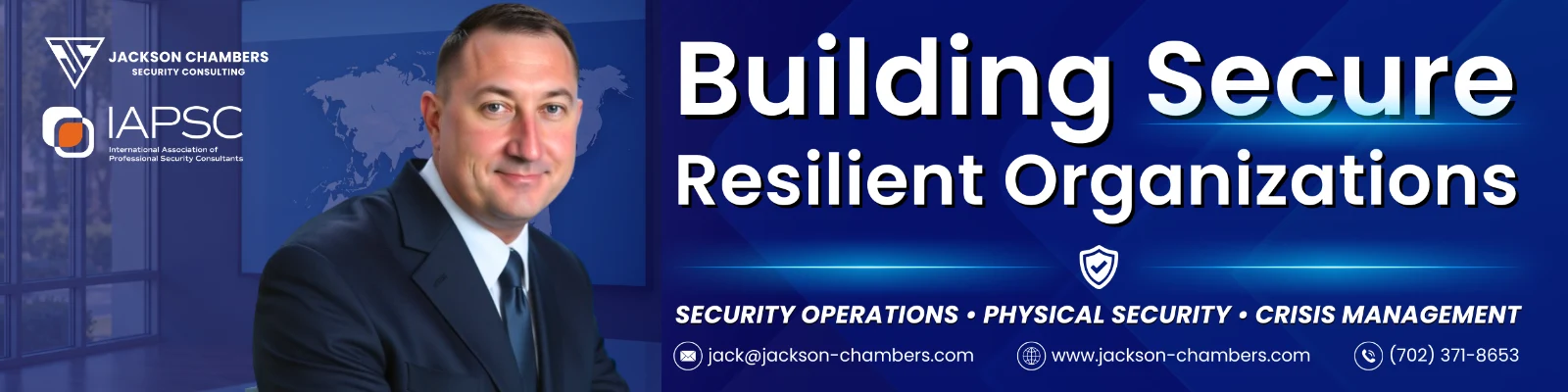
A good banner says three things at a glance: who you help, what you help them with, and one sign of credibility. For example, “Helping school districts build safer campuses. 30 years in school safety. Speaker and author.” Add your website address at the edge so people can find you outside LinkedIn.
- Use LinkedIn’s recommended size (1584 by 396 pixels) so it stays sharp.
- Keep text away from the bottom left corner, where your photo covers it.
- Check it on a phone. If the words are too small to read there, they are too small.
- Match your website colors and fonts so the two feel like one brand.
If you already have a logo and brand colors from a brand identity project, use them here. Consistency is one of the quiet LinkedIn profile tips that makes you look established.
2. Get a headshot that looks like you on a good day
Your photo shows up next to every comment, message and search result. It is the single most repeated image of you online, so it deserves more than a crop from a family event.
You do not need a fancy studio. You need good light, a plain or softly blurred background, a real smile, and your face filling most of the frame. Dress the way you would for a first meeting with your best client. A security consultant might wear a jacket. A leadership coach might go a little softer.
One of the simplest LinkedIn profile tips we give: use the same headshot on your website, your speaker sheet and your LinkedIn profile. When an event planner sees the same face in three places, recognition kicks in and trust follows.

3. Write a headline that says who you help and how
If you only follow a few LinkedIn profile tips, make this one of them. The headline follows you everywhere on LinkedIn: comments, search results, connection requests. “Owner at Smith Consulting” tells a stranger nothing. A strong headline works like a short pitch.
Here is the formula we use with clients:
I help [specific audience] [achieve specific result] through [your method or specialty] | [one credibility marker]
A few examples in that shape:
- I help K12 districts prevent violence through security assessments and staff training | 30+ years in school safety
- Expert witness in premises liability and security negligence | Former police captain
- Keynote speaker on resilient leadership for healthcare teams | Author of two books
You have 220 characters. Use them. Put the most important words at the start, because LinkedIn often cuts the headline short in search results and on mobile.
4. Structure your About section like a short sales letter
The About section is where most consultants either write nothing or paste a third person bio. Neither one sells. Write it in first person, as if you were explaining your work to a prospect across a table.
A structure that works well:
- The hook: name the problem your buyer is living with, in their words.
- What you do: two or three sentences on how you solve it.
- Proof: years of experience, types of clients, notable work, books, media.
- Services: a short list of what people actually hire you for.
- Call to action: tell them exactly how to reach you, with an email or website link.
Only the first few lines show before the “see more” link, so the hook matters most. Among all the LinkedIn profile tips in this article, rewriting those opening lines often brings the quickest change in how people respond to you.
Quick tip: Read your About section out loud. If it sounds like a press release, rewrite it until it sounds like you talking to a client you like.
5. Use the Featured section as your portfolio shelf
The Featured section sits right below your About section, and it is prime space. Think of it as a shelf where you put the three or four things you most want a buyer to see.
Good items to feature:
- Your website’s services page or a booking page
- A case study or project write up
- A media interview, podcast appearance or keynote video
- A free guide, checklist or article that shows how you think
- One of your best performing LinkedIn posts
Put the most important item first, and give each one a clear title. “Book a 20 minute consult” beats a bare link every time. If your website is outdated, this is where the gap shows, because the Featured section sends people straight to it. That is why we often pair LinkedIn work with consultant website design.

6. Write your experience as outcomes, not job duties
“Responsible for security consulting services” reads like a job description. A buyer wants to know what changed because you were there.
This is one of the LinkedIn profile tips people resist, because it feels like bragging. It is not. Under your current role, write short bullets that start with a result or a problem solved. For example: “Led security assessments for 40 school campuses across three states” or “Rebuilt the visitor management process for a regional hospital system.” Only use numbers you can stand behind.
Keep past roles brief. A former police captain turned expert witness should keep that career on the page, because it is part of why attorneys trust them. Unrelated old roles can shrink to a single line.
7. Fill in the Services section
LinkedIn lets you list your services on your profile, and many consultants never touch it. It shows up as its own block and helps you appear when people search for a service in your area.
Pick the services that match what you actually sell, write a short description, and turn on the option to let people request a proposal. Check LinkedIn Help for the current setup steps, since LinkedIn moves these settings around from time to time.
This is one of those LinkedIn profile tips that takes ten minutes and keeps paying off, because it gives buyers a direct way to start a conversation without writing a cold message.
8. Ask for specific recommendations
Recommendations are the most underrated of all LinkedIn profile tips. They are proof in someone else’s words, and a profile with a few thoughtful ones from real clients reads very differently from one with none.
Do not send the generic request. Message a past client and make it easy for them:
- Remind them of the project and the result.
- Ask them to mention one specific thing, such as how you handled the board or how quickly you delivered.
- Offer to write a recommendation for them in return if it makes sense.
Aim for recommendations from the kind of people you want more of. If you want more law firm work, a note from an attorney you worked with is worth more than five from former coworkers.
Your profile is not your résumé. It is the first meeting you never got invited to.
9. Use creator mode features and post regularly
LinkedIn has folded most of the old creator mode features into every profile, but the idea still matters: you can choose topics, show your posts higher on your profile and let people follow you without connecting. Your profile tells people who you are. Your posts show them how you think.
You do not need to post every day. One useful post a week, written in your own voice about problems your buyers face, is plenty. A school safety expert might share what they saw during a campus walkthrough. An HR consultant might break down a common hiring mistake.
When someone lands on your profile and sees recent, thoughtful posts, it tells them you are active and paying attention. That is something static LinkedIn profile tips alone cannot do for you, which is why we also help clients with content as part of our LinkedIn profile optimization service.
Want a profile that brings in calls?We rewrite and redesign consultant profiles so the right buyers reach out.
10. Claim a clean custom URL
Some LinkedIn profile tips take hours. This one takes a minute. By default, LinkedIn gives you a URL with random numbers at the end. Change it to your name, something like linkedin.com/in/janesmith, or your name plus your field if the plain version is taken.
It looks cleaner on business cards, speaker sheets and email signatures. Small detail, but it shows you pay attention.
11. Put the right keywords where LinkedIn search looks
LinkedIn is a search engine too. When an attorney searches “security expert witness” or a district searches “school safety consultant,” LinkedIn looks at your headline, About section, experience, skills and services to decide who shows up.
Make a short list of the exact phrases your buyers would type. Then work them naturally into:
- Your headline, near the start
- The first lines of your About section
- Your current job title and description
- Your skills list (pin the three most relevant at the top)
- Your Services section
Do not stuff them in. The best LinkedIn profile tips about keywords all say the same thing: write for people first. The same thinking applies to your website, which we cover in our guide to SEO for consultants, and Google’s own SEO Starter Guide makes the same point about writing for readers.
12. Make it easy to contact you
Of all the LinkedIn profile tips here, this one sounds the most obvious, but we see the problem constantly: a great profile with no clear way to get in touch. Your contact info section should include your website and a business email. Your About section should end with a direct invitation.
A simple line like “Book a call through my website” removes the friction. The person reading may not be connected to you, so they cannot always message you directly.
13. Show your work with media and links
You can attach media to individual roles: a PDF of a report summary, a link to a talk, a photo from a training session. These turn a plain list of jobs into evidence.
A keynote speaker should link their speaker reel under their speaking role. A consultant who wrote a guide for clients can attach it. These are quieter LinkedIn profile tips, but they matter when a careful buyer scrolls all the way down before deciding.
14. Keep it consistent with your website and brand
Good LinkedIn profile tips never stop at LinkedIn. Your profile and your website should feel like two rooms in the same house. Same photo, same colors, same way of describing what you do. When the two disagree, buyers notice, and it makes them wonder which version is current.
This is a big part of personal branding for consultants. We have built sites like schoolsecurity.org for Ken Trump and josephpaulmanley.com, and in both cases the website and LinkedIn presence needed to tell the same story. You can see more examples on our work page.
15. Review your profile every quarter
Profiles go stale. Set a reminder every three months to read yours with fresh eyes.
Ask yourself: Is the headline still accurate? Is the Featured section showing my best recent work? Did I add new recommendations or media? Is the banner still current? Running through these LinkedIn profile tips once a quarter keeps your page working instead of sitting there.
LinkedIn profile tips checklist at a glance
Here are all the LinkedIn profile tips in one place, with how long each fix usually takes. Save it and work down the list.
| Fix | What it does | Time needed |
|---|---|---|
| Custom banner | States who you help in five seconds | 1 to 2 hours |
| Professional headshot | Builds instant trust and recognition | Half a day |
| Headline formula | Shows up in search and comments | 30 minutes |
| About section rewrite | Turns curiosity into a reason to call | 2 to 3 hours |
| Featured section | Puts your best proof up front | 1 hour |
| Outcome based experience | Shows results, not duties | 1 to 2 hours |
| Services section | Lets buyers request a proposal | 15 minutes |
| Recommendations | Adds proof in clients’ own words | Ongoing |
| Weekly posts | Keeps you visible and current | 1 hour a week |
| Keywords and custom URL | Helps the right people find you | 30 minutes |
Common mistakes we see when applying LinkedIn profile tips
Even good LinkedIn profile tips fail when they are applied halfway. A few patterns come up again and again when we review consultant profiles:
- Writing for everyone. “I help businesses grow” could describe a million people. Specific always wins.
- Third person bios. “John is a seasoned professional” feels distant. Write as yourself.
- Hiding the offer. If a buyer cannot tell what to hire you for in a minute, they will not dig.
- Changing one thing and stopping. These LinkedIn profile tips work together. A great headline with an empty About section still leaks leads.
- Ignoring mobile. Most people check your profile on their phone. Look at it there before you call it done.
Frequently asked questions
Which LinkedIn profile tips matter most for consultants?
Start with the headline, headshot and About section. Those three get seen first and decide whether a buyer keeps reading. After that, the Featured section and recommendations do the most to turn a visit into a message.
How long does it take to apply these LinkedIn profile tips?
If you do it yourself, plan on a full day spread over a week or two, plus time for a new headshot. When we handle it for a client, we usually work through it with a short interview so the writing sounds like them.
Should I use creator mode or turn on the follow button?
For most consultants, yes. Letting people follow you without connecting means more reach for your posts, and a buyer can keep an eye on your work before they are ready to talk.
Do LinkedIn profile tips still matter if I get most work from referrals?
Even more so. A referral almost always gets checked online before the first call. Your profile either confirms what they heard about you or creates doubt. Following solid LinkedIn profile tips makes sure it confirms it.
Can you write my LinkedIn profile for me?
Yes. We rewrite profiles, design banners and help with ongoing posts. Cost depends on scope, so the best first step is a short call where we look at your current profile together.
Make your profile do the selling
You do not need to apply every one of these LinkedIn profile tips this week. Pick the headline, the banner and the About section, fix them properly, and you will feel the difference in the messages you get.
If you would rather hand these LinkedIn profile tips to someone else, that is exactly what we do. Design Fly 24 is a New York agency working with consultants, speakers and expert witnesses across the US, and LinkedIn is usually where we start. You can read more about us or meet our founder Imtiaz Ahmed. When you are ready, book a free call and we will walk through your profile together.
