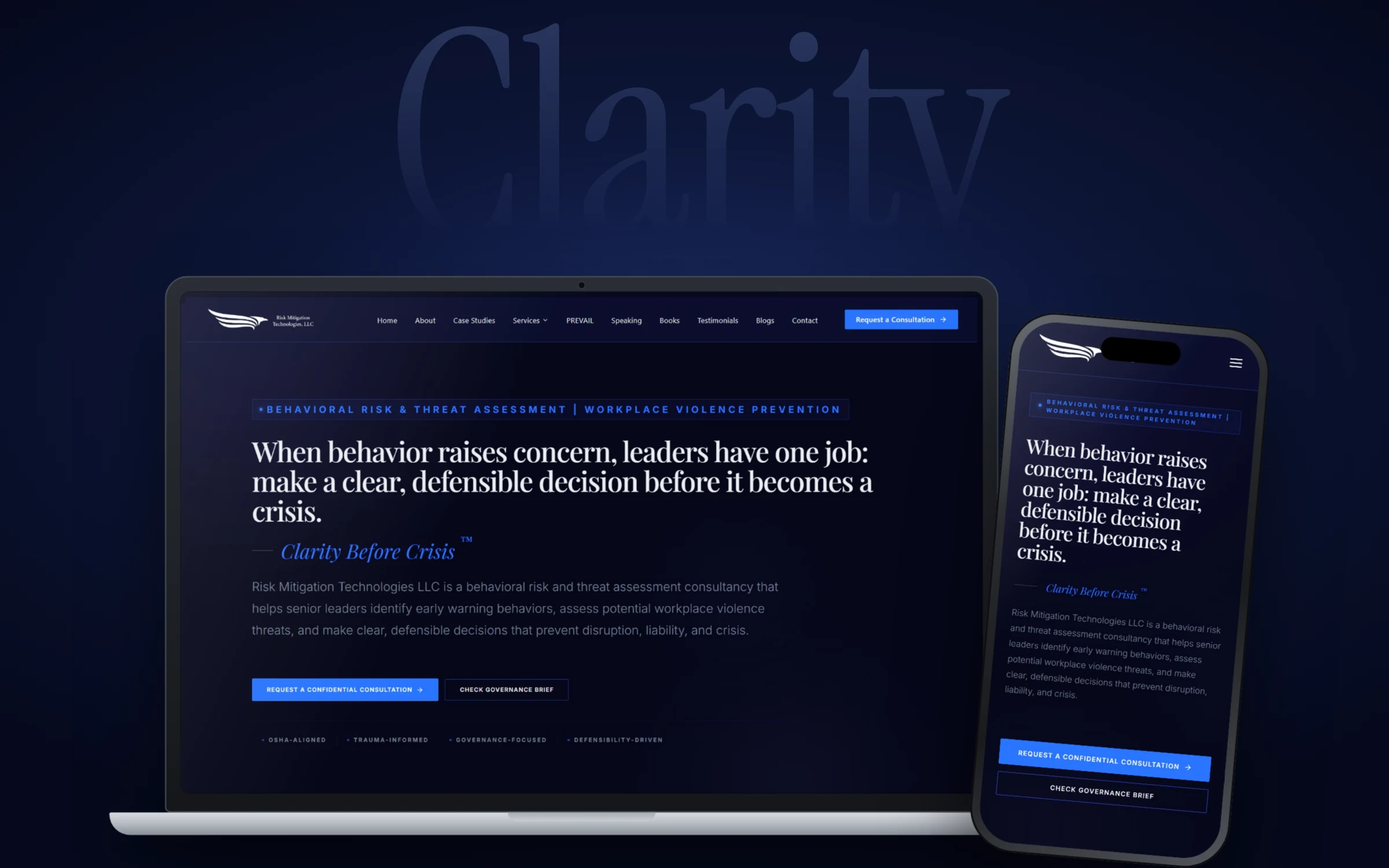
Quick answer: For most small business websites, WordPress is the better choice: it is faster to build, easier to edit and cheaper to maintain. A custom Node.js build makes sense when the site is really an application, such as a client portal, a calculator, live booking logic or heavy integrations, and you have budget for ongoing developer support.
Search Node.js vs WordPress and you mostly get developer articles about event loops and PHP. Interesting, but it doesn’t answer the question a business owner actually has: should my website be custom built, or is WordPress enough?
The comparison is a little odd on its face. WordPress is a content management system. Node.js is a JavaScript runtime that developers use to build servers and web apps. So you’re really comparing a ready made platform with building your own. We do both: most of our client sites run on WordPress and Elementor, and we build custom Node.js projects when a client needs something WordPress can’t do cleanly. Here’s how I’d decide.
Key takeaways
- WordPress is a finished content platform. Node.js is a foundation developers build on, so every feature has to be written or assembled.
- Pick WordPress for marketing sites, blogs, service firms and most stores. Pick custom Node.js for app like features with real business logic.
- The biggest difference isn’t speed or security. It’s who can edit, maintain and take over the site in three years.
- A hybrid often wins: WordPress for the marketing site, a small custom app for the one feature that needs it.
Node.js vs WordPress: what you're actually comparing
WordPress is software you install. Out of the box you get pages, posts, a media library, user roles and an admin dashboard. Themes and page builders control the look; plugins add features like forms, SEO tools, booking and stores. According to W3Techs, it runs 39.5% of all websites.
Node.js is described by its own project as a free, open source JavaScript runtime environment that lets developers create servers, web apps, command line tools and scripts. There’s no dashboard, no pages, no editor. A developer uses it, usually with a framework like Next.js or Express, to build exactly what you specify.
That’s the heart of it. With WordPress you start at 70% done and customize. With Node.js you start at zero and build. Starting at zero gives you total freedom, and it costs time, money and ongoing developer dependence.
Custom website vs WordPress: side by side
| WordPress | Custom Node.js build | |
|---|---|---|
| Time to launch a typical business site | Weeks | Usually longer, since features are built rather than installed |
| Editing content | Built in dashboard, familiar to most people | Needs a CMS added (often a headless CMS) or developer help |
| Custom features and logic | Plugins, or custom plugins for unusual needs | Anything you can specify |
| Performance | Fast with good hosting and caching | Can be very fast, depends on the build |
| Security upkeep | Core, theme and plugin updates | Dependency updates and your own code review |
| Finding another developer later | Easy | Harder; they must learn your codebase |
| Hosting | Almost any web host | Node capable hosting or a platform like Vercel |
Neither column is “better”. They suit different jobs.
When WordPress is the right answer
For the consultants, experts and local firms we work with, WordPress is the answer most of the time. If your site’s job is to explain what you do, prove you’re credible, publish articles and get people to book a call, WordPress does that very well, and your team can update it without calling a developer.
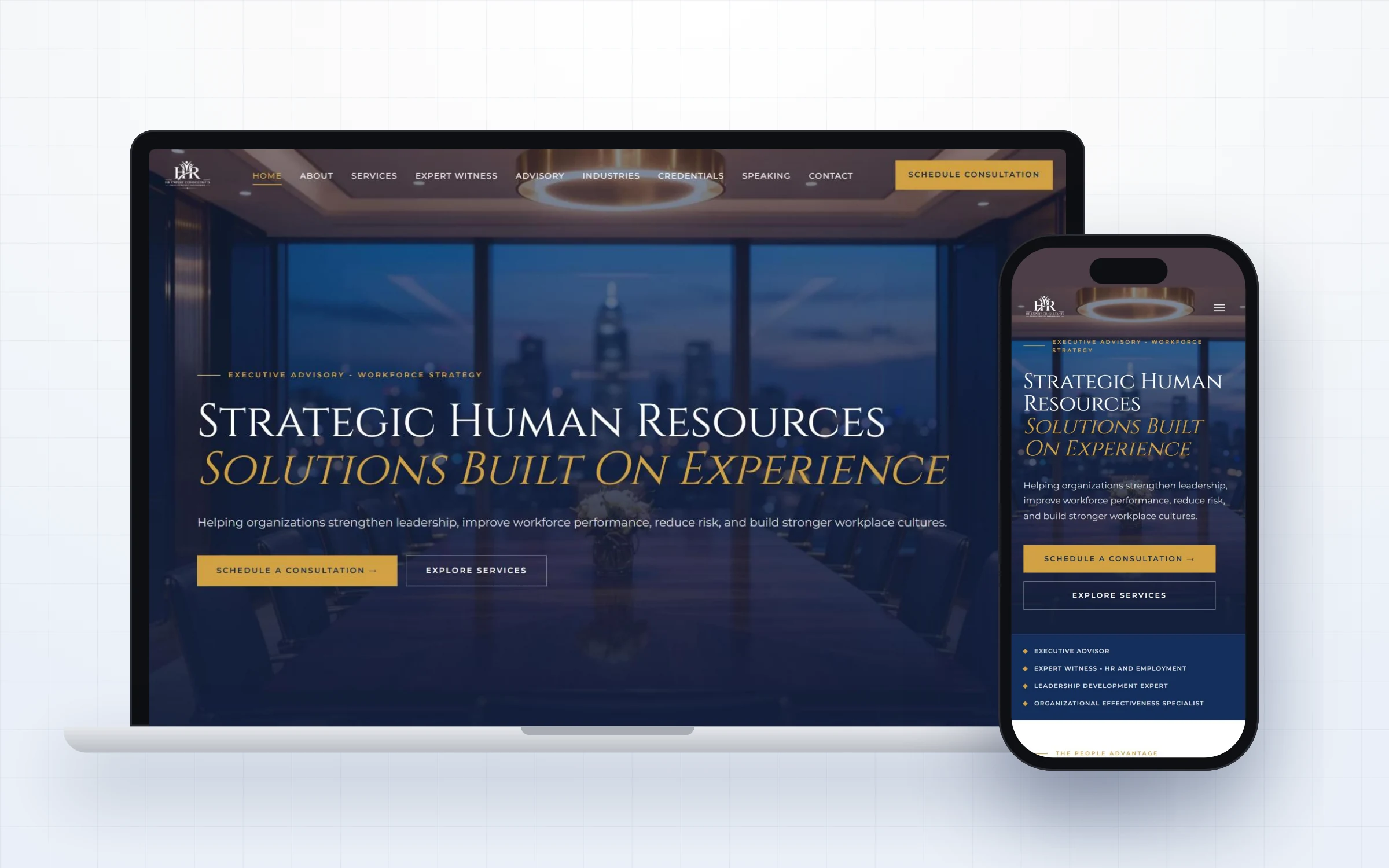
A good example is HR Expert Consultants, the practice of David Morris. We built it on WordPress with Elementor and a reusable widget system, so the client can add new pages while the design stays consistent. Separate paths for advisory clients and attorneys, credential cards, schema markup and fast loading. No part of that needed a custom application.
WordPress also stretches further than people expect. When a client needs something specific, we often build a small custom plugin or Elementor widget instead of abandoning the platform. Our post on custom website development explains those levels of “custom”, and most firms need the middle one: custom features on a proven platform.
When to build a custom website with Node.js
Custom makes sense when your website is really a product or a tool. Signs you’re there:
- Client portals with real logic. Logins where each client sees their own documents, reports, progress or invoices pulled from your systems.
- Calculators and assessments. A self assessment that scores answers, generates a report and pushes results into your CRM.
- Live data and real time features. Availability that changes by the minute, dashboards, chat or notifications. Node.js was designed for this kind of work; its documentation describes it as built “to build scalable network applications.”
- Heavy integrations. Several systems that need to talk to each other in ways no plugin supports.
Notice what’s missing from that list: “I want it to look unique” and “I want it to be fast”. You can get both on WordPress (or Webflow) with good design and decent hosting. Building custom just for looks is the most expensive way to get a nice homepage.
Headless WordPress vs custom: the middle path
There’s a third option you’ll hear about: headless WordPress. WordPress stores and manages the content, and a separate frontend built with Next.js (which runs on Node.js) displays it. Editors keep the familiar dashboard, and developers get full control over the front end.
It’s a real option for larger sites with a development team. For a small firm, I’m usually skeptical. You now maintain two systems, many plugins stop working the way you expect, previews get complicated, and you’re dependent on a developer for things that would otherwise be a click. If you don’t have a specific reason, it’s complexity you’ll pay for every year.
The simpler hybrid I prefer: keep the marketing site on WordPress, and build the one custom piece (a portal, a calculator) as a small separate app on a subdomain, linked from the main site. Each part does what it’s good at.
The ownership and maintenance reality
This is the section non technical owners skip, and it’s the one that matters most.
With WordPress, if your developer disappears, you can hire another one next week. The platform is standard; the skills are everywhere. You do need ongoing updates and backups, which is what a WordPress maintenance plan covers, and our WordPress security guide explains what actually gets sites hacked.
With a custom Node.js build, the codebase is unique to you. Dependencies need updating, hosting needs managing, and any new developer has to learn how your app works before changing it. That’s not a reason to avoid custom. It’s a reason to insist on a few things up front:
- You own the code repository, hosting account and domain from day one.
- The code is documented, including how to deploy it.
- There’s a written plan and budget for ongoing maintenance.
- Content editors have a CMS, so routine text changes don’t need a developer.
Node.js vs WordPress: a quick decision guide
Work through these questions in order before you commit to either path.
- 01
Write down what the site must do
List features in plain words: show services, publish articles, take bookings, log clients in, calculate prices.
- 02
Mark which features exist as plugins
If WordPress plugins or a small custom plugin cover everything, WordPress is almost certainly the right base.
- 03
Identify the app like pieces
Anything with unique business logic, live data or deep integrations is a candidate for custom code.
- 04
Consider a hybrid
Keep the marketing site on WordPress and build only the app piece custom, linked from the main site.
- 05
Budget for year two and three
Compare maintenance, hosting and developer costs over time, not just the build price.
Frequently asked questions
Is Node.js better than WordPress?
Neither is better in general. WordPress is better for content driven business websites that non developers need to edit. Node.js is better for custom applications with unique logic, live data or complex integrations.
Can a Node.js website be good for SEO?
Yes, if it is built with server rendering or static generation, clean URLs, proper metadata and fast pages. Frameworks like Next.js support this. It just needs to be built in deliberately, where WordPress gets much of it from plugins.
Is a custom website more secure than WordPress?
Not automatically. WordPress sites are targeted often, but a well maintained one with few, reputable plugins is secure. A custom build avoids common plugin risks but depends entirely on the quality of its own code and updates.
What is headless WordPress?
WordPress manages the content, while a separate frontend, often built with Next.js on Node.js, displays it. It suits larger teams; for small firms it usually adds cost and complexity.
When should a small business build a custom website?
When the site needs features that are really an application, such as client portals, calculators, live availability or heavy integrations, and there is budget for ongoing developer support.
Can I add custom features to WordPress instead of rebuilding?
Usually yes. Custom plugins, custom Elementor widgets or a small separate app linked from the site cover most needs without giving up the WordPress editor.
Build custom only where it earns its keep
The best websites we’ve built for small firms are mostly standard, with custom work exactly where the business needs it. Start from what the site must do, choose the simplest platform that does it, and spend custom development money only on the pieces that make you different.
If you’re weighing a custom build, see our website development services and our web design process, or contact us for a free scoping call. We’ll tell you honestly if WordPress will do the job.