Quick answer: Choose Framer if you want a small, design led marketing site that loads fast, needs little upkeep and is edited mostly by one person. Choose WordPress if you publish a lot of content, need plugins for booking, payments or memberships, want to own and move your site freely, or expect the site to grow into something bigger.
The Framer vs WordPress question comes up a lot now in our discovery calls, usually from founders who saw a gorgeous Framer site and wondered why anyone still uses WordPress. Fair question. We build on both, so here’s the honest version, without the vendor spin you get from Framer’s own comparison page or from WordPress hosting companies.
Short version: they’re built for different jobs. Framer is a design tool that publishes websites. WordPress is a content system you can make look like anything. Which one fits depends far more on what you’ll do with the site after launch than on how it looks on day one.
Key takeaways
- Framer is fastest for polished, animated marketing sites with a handful of pages and a simple CMS.
- WordPress wins on content volume, plugins, ownership and the ability to move hosts or developers.
- Framer plans cap CMS collections, items and pages, so check the limits before you commit a content heavy site.
- Total cost of ownership is closer than it looks: Framer bundles hosting, while WordPress needs hosting, care and sometimes paid plugins.
Framer vs WordPress at a glance
| Framer | WordPress | |
|---|---|---|
| What it is | Visual design tool with built in hosting and CMS | Open source content management system you host yourself |
| Best for | Startup and consultant marketing sites, launches, portfolios | Content heavy sites, service firms, stores, anything with plugins |
| Design control | Excellent, canvas based, strong animations | Depends on theme or builder; Elementor gives near full control |
| Editing for non designers | Simple for text and CMS items; layout changes need care | Familiar dashboard; page builders can feel heavy |
| Content limits | Plan based limits on pages, collections and items | No platform limits; depends on hosting |
| Extending | Components, code overrides, third party embeds | Huge plugin library for almost anything |
| Hosting and updates | Included and managed by Framer | Your choice of host; you or your agency handle updates |
| Leaving later | Generally means rebuilding elsewhere | Move to any host with your files and database |
WordPress powers 39.5% of all websites according to W3Techs (as of October 2026). That isn’t a reason to pick it by itself, but it does mean you’ll never struggle to find a developer, a host or an answer to a problem.
Where Framer is genuinely better
I’ll be fair to Framer, because it is very good at what it’s built for.
Design speed. If your designer works in Figma, Framer feels like home. You design on a canvas and publish what you see. No theme fighting, no builder quirks. For a launch page or a five page consultant site with real visual ambition, it’s faster to a polished result than WordPress.
Animation and interaction. Scroll effects, hover states, page transitions. Framer does these well without code. You can do them in WordPress, but it usually means extra plugins or custom code, and each one adds weight.
Less maintenance. Framer handles hosting, SSL and updates. There are no plugins to patch on a Tuesday night. For a founder who wants a site that just keeps working, that’s a real benefit, and it’s the biggest point in Framer’s favor.
Where WordPress is the safer choice
Content volume. Framer’s CMS works, but the plans have ceilings. According to Framer’s pricing page, the Basic plan allows 2 CMS collections, 1,000 CMS items and 30 pages, while Pro allows 10 collections, 2,500 items and 150 pages, expandable with paid add ons. That’s plenty for a consultant with a modest blog. It’s tight for a firm publishing case studies, articles, team bios and resources every week. WordPress has no such limits.
Plugins. Online booking, payments, memberships, course logins, multilingual SEO, advanced forms, WooCommerce. WordPress has mature options for all of it. In Framer you’ll be embedding third party tools and working around gaps. Our post on WordPress plugins for small business lists the ones we actually install.
Ownership. With WordPress you own the files and database. Unhappy with your host or your agency? Move. With Framer, the site lives on Framer. As one detailed Framer review notes, moving out generally means rebuilding rather than exporting. That’s not a dealbreaker, but go in knowing it.
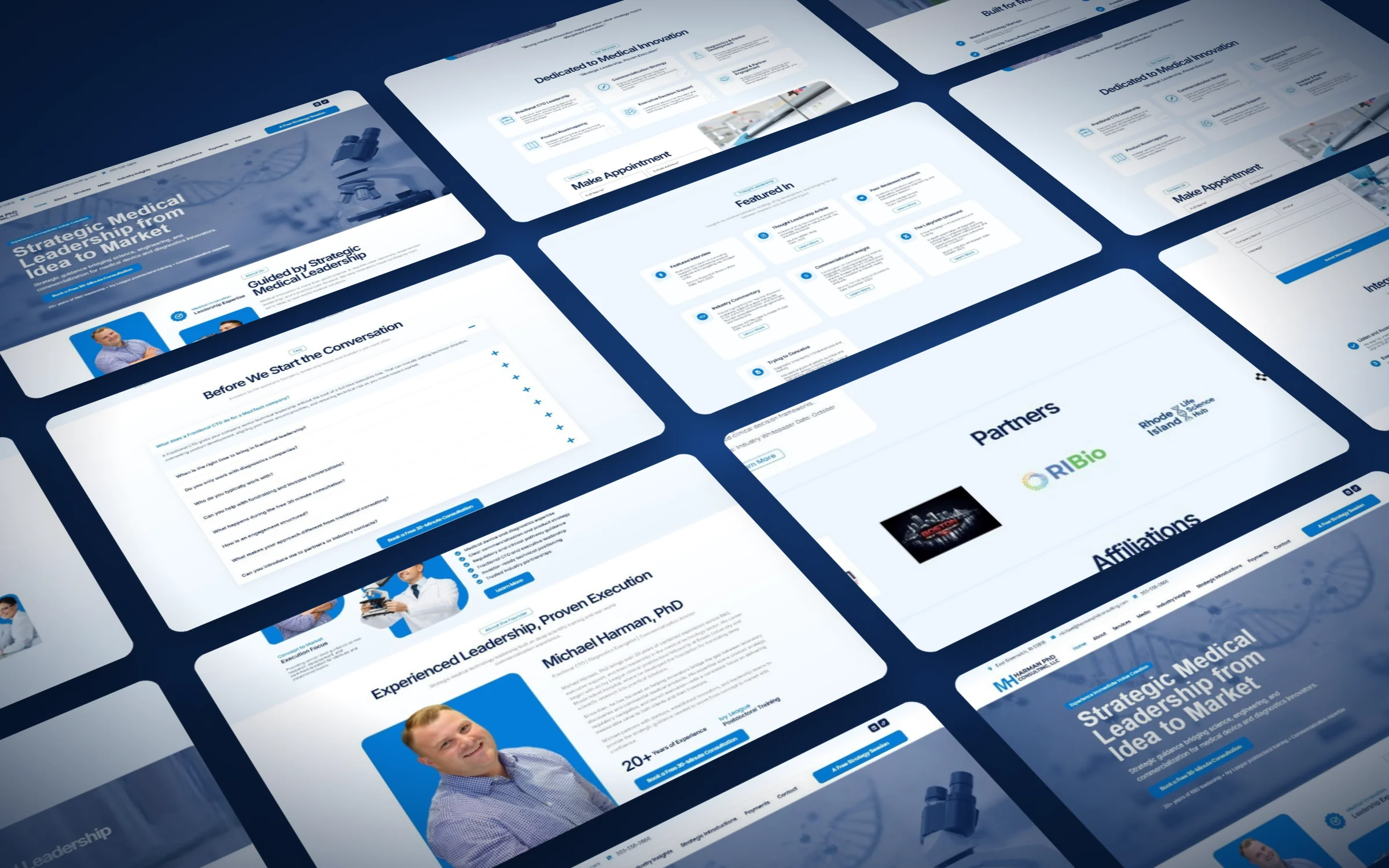
Handover. When we built Harman PhD Consulting on WordPress and Elementor, the point was that Michael Harman could edit text, images and his insights section himself after launch, with the design system holding everything together. That kind of handover is routine on WordPress, and most freelancers and agencies can pick it up later.

Is Framer good for SEO?
Yes, for the basics. Framer outputs clean pages, lets you set titles, meta descriptions and Open Graph images, generates a sitemap, handles redirects on paid plans and loads fast. A small Framer site can rank perfectly well.
Where WordPress pulls ahead is depth. With a plugin like Rank Math you get schema types, per page control, internal linking suggestions and bulk editing that matter once you have dozens or hundreds of pages. And content volume is SEO. If your plan is to publish weekly for the next three years, WordPress makes that easier and cheaper.
Multilingual sites are a separate question. Framer has a built in Localization feature with locales and fallback languages, which is convenient. WordPress does it with plugins and gives more control over things like per language SEO settings. Test both with your actual languages before deciding.
Framer or WordPress for small business: real cost of ownership
People compare a Framer subscription with “WordPress is free” and conclude WordPress is cheaper. That’s misleading in both directions.
WordPress software is free, but a professional site needs decent hosting, a domain, backups, security, updates and often a premium theme or builder and a few paid plugins. Someone has to apply updates, either you or a WordPress maintenance service.
Framer bundles hosting and upkeep into a per site subscription. But extra pages, CMS items, locales, bandwidth and editor seats can add to the bill as you grow.
For a small, stable site, the yearly cost is often in the same ballpark. The bigger difference is in the cost of change: adding a booking system, a member area or a hundred articles is cheap on WordPress and can be awkward on Framer.
Framer vs WordPress: a quick decision guide
Answer these in order. The first one that clearly applies usually decides it.
- 01
Will you publish a lot of content?
Weekly articles, many case studies or a large resource library point to WordPress.
- 02
Do you need booking, payments, logins or a store?
If yes, WordPress with the right plugins is usually simpler and cheaper to extend.
- 03
Is the site mainly a visual pitch with a few pages?
A startup launch, a portfolio or a premium consultant site with little ongoing content suits Framer well.
- 04
Who will edit it after launch?
A designer comfortable on a canvas will love Framer. A team of non designers often prefers the WordPress dashboard.
- 05
How much do you care about portability?
If being able to move hosts or developers freely matters to you, WordPress is the safer bet.
Can you start on Framer and move to WordPress later?
You can, and some startups do exactly that: a fast Framer site for launch, then WordPress once content and features grow. Just plan for it to be a rebuild, not a migration. Keep your copy, images and CMS content in a format you can export, set up proper redirects when you switch, and use our website redesign checklist so you don’t lose rankings in the move.
If you’re also weighing Webflow, our Webflow vs WordPress comparison covers the middle ground between the two.
Frequently asked questions
Is Framer better than WordPress?
For small, design led marketing sites with little content, Framer is often faster to build and easier to maintain. For content heavy sites, plugins, stores or long term flexibility, WordPress is usually the better choice.
Is Framer good for SEO?
Framer handles the SEO basics well: fast pages, editable titles and descriptions, sitemaps and redirects. WordPress offers deeper control through plugins and suits sites that publish a lot of content.
What are the Framer CMS limitations?
Framer plans limit CMS collections, CMS items and pages. Per Framer pricing, Basic allows 2 collections and 1,000 items, Pro allows 10 collections and 2,500 items, with paid add ons to raise limits.
Can I export my Framer site to WordPress?
Not directly. Moving from Framer to WordPress generally means rebuilding the design and moving content across, with redirects set up to protect rankings.
Is Framer cheaper than WordPress?
It depends. Framer bundles hosting and maintenance in a subscription. WordPress is free software but needs hosting, care and sometimes paid plugins. For small sites the yearly cost is often similar.
Which is easier for a small business to edit?
Framer is easy for text and CMS updates, but layout changes need a designer mindset. WordPress with a good setup is familiar to most people and easy to hand over to another developer.
Pick the platform for year three, not launch day
Both platforms can produce a beautiful site. The question is what the site will need to do in two or three years. If the answer is “look great and generate calls”, Framer is a strong option. If it’s “publish, sell, book, grow and maybe change hands”, WordPress is still the safer foundation.
We build on both, so we don’t have a horse in the race. See our website development services, or contact us and we’ll recommend a platform and design a free homepage concept before you commit.