Quick answer: A good retail store website answers four questions in the first screen: where you are, what you sell or make, what the finished work looks like, and how to visit or book. For most independent shops the goal is walk ins and calls, so put hours, map, phone and real photos ahead of any online checkout.
Most advice about building a retail store website comes from platform vendors, and it quietly assumes you want to sell online. Product grids, cart recovery, shipping rules. That makes sense if you are a direct to consumer brand. It makes much less sense if you run a frame shop on Second Avenue, a boutique in a strip of storefronts, or a hardware store that has been on the same corner for thirty years.
For those shops, the website has one job. Get the right person through the door, or on the phone, this week. Everything else is secondary.
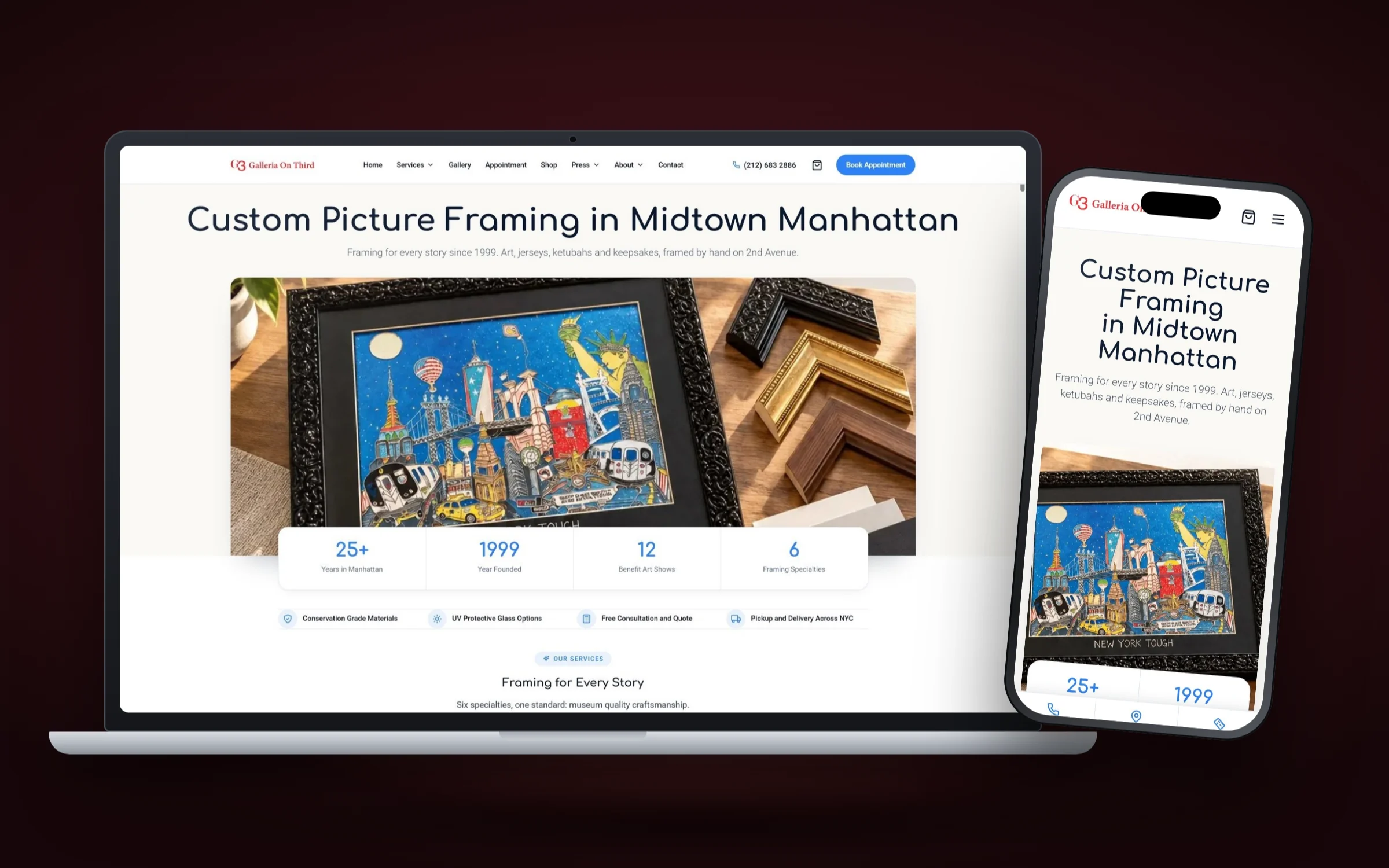
This guide is about that job. I’ll use a real project as the running example: Galleria On Third, a Manhattan custom framing shop open since 1999, whose site we rebuilt and connected to Google Ads, Search Console and the Google Business Profile. The numbers I quote come from the Galleria On Third case study.
Key takeaways
- Design the site around walk ins and calls first. Online selling is an add on, not the foundation.
- Real photos of your shop and your work beat stock imagery every time, and they help you rank for local searches.
- Give each product category or specialty its own page written in the words customers type into Google.
- Connect the site, Google Business Profile, Search Console and Analytics so you can see which searches turn into visits.
What a retail store website is really for
Think about how people actually find a local shop. At Galleria On Third we mapped three paths before touching the layout:
- People walking past on 2nd Avenue who look the shop up later.
- People searching Google for framing near them.
- People who heard about it from a friend and want to check it out first.
Three very different starting points. Same questions at the end of every one: where is it, what can they frame, what does finished work look like, and how do I book. Once you see that, the site structure almost writes itself.
Here’s the uncomfortable part. A lot of shops with great reputations have websites that hide all of that. Galleria On Third had 25 years of happy customers and a 4.9 star Google rating, but the old site didn’t show the craft, the history or the six framing specialties the shop offers. A new customer searching “custom framing NYC” found very little reason to choose it over the next result.
So before you pick a template or a platform, write down the questions your customers ask at the counter. Those are your pages.
Retail store website essentials for local shops
You don’t need fifty features. You need a short list done well. This is the checklist I use for small retail and walk in businesses:
| Element | Why it matters | Where it goes |
|---|---|---|
| Address, hours and map | The most common reason a local visitor lands on your site | Header or first screen, plus footer on every page |
| Tap to call button | Phone visitors are usually ready to buy or book | Sticky on mobile, repeated after key sections |
| Real photos of products and the shop | Proves quality and helps people recognize the storefront | Hero, category pages, about page |
| Category or specialty pages | Each one can rank for a specific search | Main menu |
| Reviews and rating | Social proof right where the decision happens | Next to booking or contact buttons |
| Quote or appointment form | Captures people who can’t visit today | Every page, short form |
| Story and history | Independent shops win on trust and character | Homepage section plus About page |
| Optional online shop | Useful for gifts, prints or repeat items | Separate section, not the homepage focus |
On the Galleria On Third homepage, the headline is “Framing for Every Story” with a large photo of a finished piece. Right under it sit the proof points: founded 1999, 25+ years in Manhattan, 12 benefit art shows and six specialties. Book Appointment, Get a Free Quote and a phone button appear on every page. None of that is fancy. All of it is deliberate.
Photos do more selling than copy
“Show the work first. One great photo beats a paragraph of claims.” That’s the principle we wrote into the Galleria brief, and I’d apply it to almost any retail store.
Stock photos are a tell. Shoppers have seen the same smiling cashier on a hundred sites, and they can feel when an image isn’t yours. Your actual shelves, your window display, a finished product in a customer’s hand: those do the persuading. For Galleria we photographed real pieces from the studio and avoided stock entirely.
Shooting on a phone? Use daylight near the window and compress the files before upload. Photography heavy sites get slow fast, which is why we compressed every image on the Galleria site, cleaned up scripts and cached the site with WP Rocket. The result tested at a GTmetrix grade A with 98% performance and a largest contentful paint of 829ms. A slow photo gallery on a phone, standing on a sidewalk, loses the visit.
Write category pages for the words people search
This is where most small retail sites leave money on the table. They have one “Services” or “Shop” page that lists everything in a paragraph. Google has nothing specific to match.
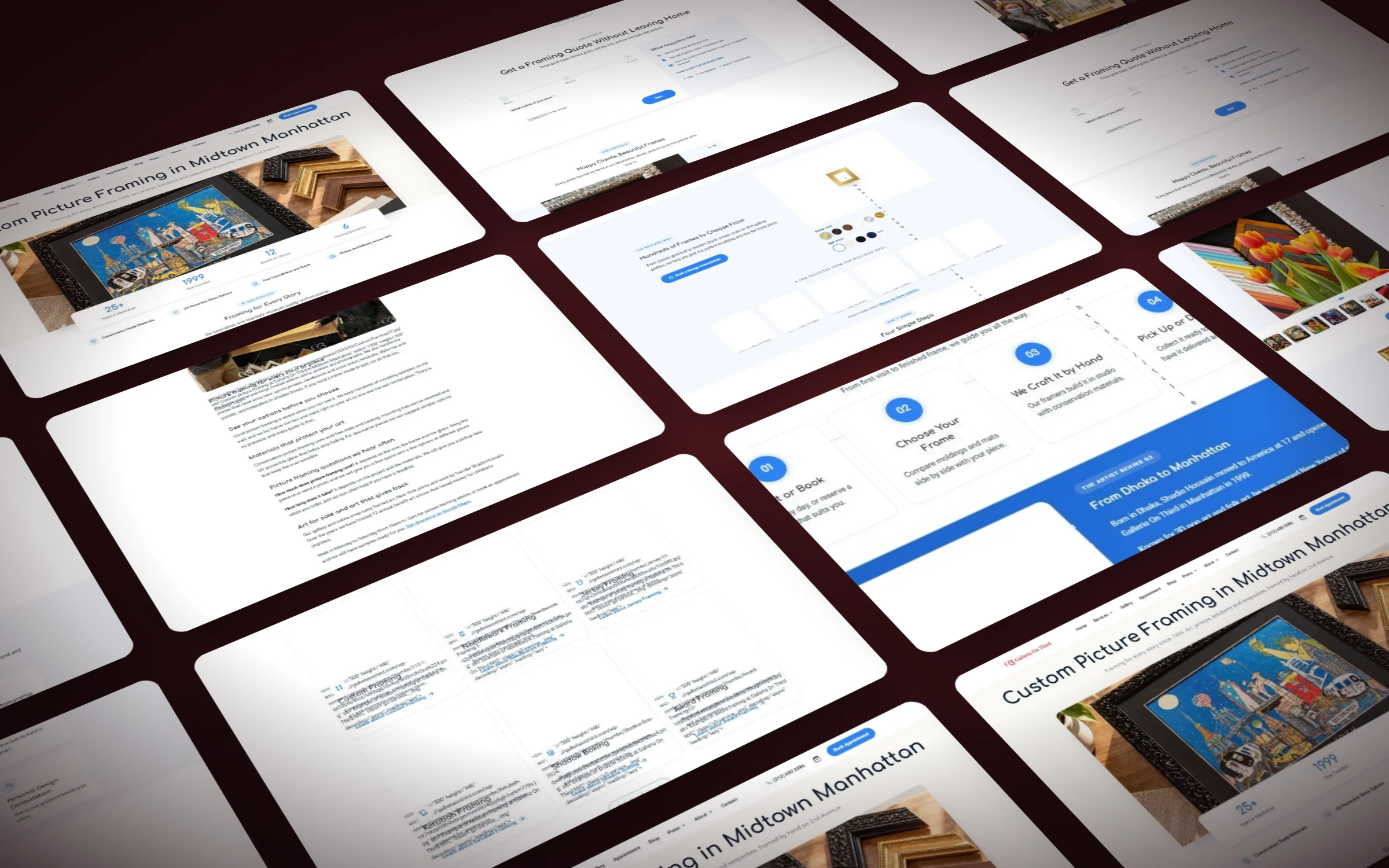
Galleria On Third now has six specialty pages, each with real shop photos: custom framing, needlework framing, jersey framing, ketubah framing, shadow boxes and award framing. Each page targets phrases customers really type, like “jersey framing” or “poster framing near me”. In the first eight days of Search Console tracking, the site appeared for 579 different searches, with queries like “custom framing nyc” and “framing services nyc” near the top.
Your version might be “wedding dresses”, “alterations”, “kids shoes” and “orthopedic shoes”. Or “paint”, “keys cut” and “tool rental”. One page per thing people search for, written in plain words, with photos, a short FAQ and a clear next step. If you want a walkthrough of finding those phrases, our guide to keyword research for small business covers a free method.
Do you need online sales on a small retail store website?
Sometimes. Not always. And rarely as the main event.
Ask yourself honestly how much of your revenue could move online. A frame shop can’t ship a custom frame without seeing the art. A boutique can sell gift cards and a few signature items, but the fitting room is where the real sale happens. A specialty food shop might do well with local pickup orders.
For Galleria we added a WooCommerce shop for ready made frames and the founder’s original art, plus a separate quote path for corporate clients like offices, hotels and brands that need bulk framing. The store sits alongside the main purpose of the site. It doesn’t replace it.
If you do sell online, pick the platform based on how many products you have and who will update them. We compared the two common choices in Shopify vs WooCommerce, and our ecommerce website design guide covers what a store needs if online sales become a bigger slice.
Connect the site to Google so searches become visits
A retail store website on its own is a brochure. Connected to Google, it becomes a system you can measure.
For Galleria On Third we linked Google Ads, Search Console, Google Analytics 4 and the Google Business Profile so they feed one another. The live rating shows next to the booking buttons. The Business Profile, the main site and the founder’s separate art site all share the same address, phone and profile, which keeps Google confident about who and where the business is.
The ads side was led by a Performance Max campaign built for store visits. Over the reported period, conversions rose by 68 compared with the previous four weeks, and the local store visits campaign produced 48 of those on its own. Analytics showed key actions like calls, quote requests and appointment clicks up 28.8% week over week.
You don’t need ads to start. But you do need a complete Business Profile, because that’s what shows on the map. Our Google Business Profile optimization guide walks through it step by step, and how to get Google reviews covers the part most owners find awkward.
How to plan your shop website, step by step
Here is the order I would follow for an independent shop, whether you build it yourself or hire someone.
- 01
Map how customers find you
Write down the two to four ways people discover the shop and the questions they ask before visiting. These become your pages and your homepage order.
- 02
Photograph your real work
Shoot products, the storefront and the inside of the shop in good light. Skip stock photos.
- 03
Write one page per category or specialty
Use the phrases customers type into Google, add photos, a short FAQ and a booking or contact button.
- 04
Put hours, map, phone and booking everywhere
Make the next step obvious on every page, with a sticky call button on mobile.
- 05
Decide how much to sell online
Add a small shop, gift cards or pickup orders only if they fit how you actually make money.
- 06
Connect Google and measure
Link Search Console, Analytics and your Business Profile, then watch which searches lead to calls and visits.
Frequently asked questions
What should a retail store website include?
At minimum: your address, hours and map, a tap to call button, real photos of products and the shop, a page for each main category, reviews, and a short contact or quote form. Online sales are optional.
Does a small retail store need a website if it has a Google Business Profile?
Yes. The profile gets you on the map, but the website is where people check your range, see real photos and decide you are worth the trip. Google also uses your site to understand what you sell.
Should my boutique store website sell online?
Only if it matches how you make money. Many boutiques do well with gift cards, a few signature items or local pickup, while keeping the site focused on visits and appointments.
Which platform is best for a retail store website?
WordPress works well for most independent shops because you own it and can add a WooCommerce shop later. Shopify suits stores where online sales are the main goal. Squarespace and Wix are fine for very simple sites.
How do I get my shop website to show up in local searches?
Create a page for each product category using the words customers search, keep your name, address and phone identical everywhere, complete your Google Business Profile and collect reviews steadily.
How long does it take to build a retail store website?
For a local shop with a handful of category pages, about four weeks is typical once photos and content are ready. A large online catalog takes longer.
Make your website as good as the work on the walls
The brief for Galleria On Third was to make the website as good as the work on the walls. That’s the right goal for any independent retailer. You already have the reputation, the regulars and the craft. The site just has to show it to the people who haven’t walked in yet.
If you’d like help with that, see our website design and local SEO for local businesses, or get in touch and we’ll design a free homepage concept for your shop before you commit to anything.