


A security consultant website gets judged differently from almost any other kind of business site. The people reading it are cautious by profession. They’re school superintendents, HR directors, facility managers, risk officers and procurement staff, and their job is to avoid hiring the wrong person.
Picture a district safety coordinator after a frightening incident at a nearby school. The board wants an outside assessment. She has three names from a state association list. Before she calls anyone, she opens each site and asks herself one thing: would I be comfortable putting this person in front of my board? The site that makes that answer easy gets the first call.
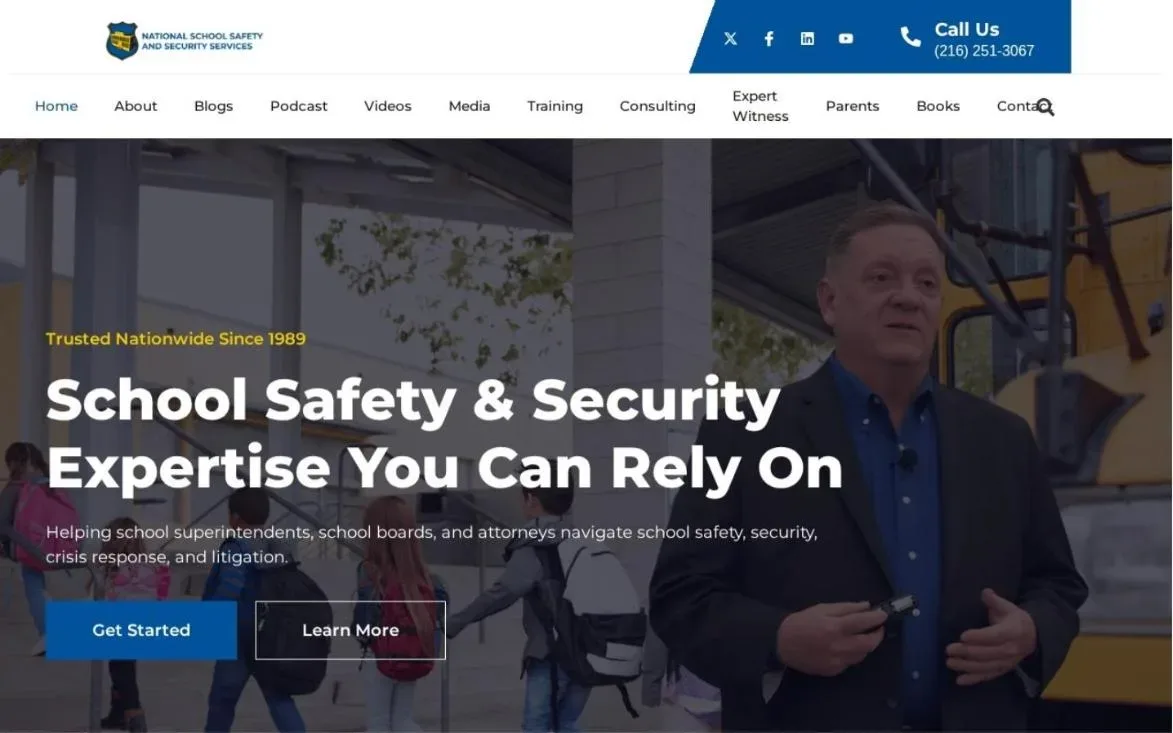
We’ve built several of these sites at Design Fly 24, including schoolsecurity.org for Ken Trump, Jackson Chambers, Stone Campus Safety and Risk Mitigation Technologies. This post shares what we’ve learned about what a security consultant website needs to win district, corporate and government work.
- A security consultant website is read by cautious buyers who are looking for reasons to trust you, or reasons to move on.
- Credentials, published work and media commentary carry more weight here than in almost any other consulting field.
- Training programs deserve their own pages with outlines, audiences and formats, written so a buyer can forward them.
- RFP friendly details (legal name, service area, capability statement, references) save procurement staff time and win you points.
- Discretion matters: show proof without exposing client facilities or sensitive details.
Who actually reads a security consultant website
Before you think about the design of a security consultant website, think about the reader. Most security consultants serve a mix of buyers, and each one checks different things.
- School districts look for K-12 experience, references from other districts, and someone who can speak calmly to parents and boards.
- Corporate buyers (HR, legal, facilities) want workplace violence prevention, threat assessment and training that fits their policies.
- Government agencies need registration details, capability statements and a clean paper trail.
- Attorneys and insurers check credentials, published work and whether you’ve testified or written on the topic.
A good security consultant website gives each of these readers a clear path. That usually means a homepage that speaks to your main audience and dedicated pages for the others. Trying to serve them all in one long scroll is where most sites lose people.
1. A homepage that names your specialty
“Security Consulting Services” is not a specialty. Neither is “Protecting What Matters Most.” A buyer scanning three sites needs to know in seconds what you actually do and who you do it for.
Strong headlines on a security consultant website sound like this: “School safety assessments and crisis planning for K-12 districts.” Or “Workplace violence prevention programs for hospitals and health systems.” Plain, specific, and written in the words a buyer would use in a board memo.
Under the headline, add one line of proof (years in the field, a notable credential, a well known client type) and one button: “Request a consultation.” That’s the whole job of the top of the page.
When your security consultant website serves more than one audience
Many consultants work with schools and companies, or companies and agencies. Pick your biggest audience for the homepage headline. Then add a simple “Who we help” row right under it with a short line and a link for each group: schools, workplaces, government, houses of worship. Each link goes to a page written only for that buyer. A superintendent never has to read about corporate HR policy to find what she needs, and an HR director never wades through school board language.

2. Credentials and background, front and center
In most consulting fields, credentials support the pitch. In security, they often are the pitch. Buyers want to know where you came from: law enforcement, military, emergency management, school administration, corporate security, mental health.
Put a short credentials block on the homepage and a full background on the About page. Explain acronyms the first time. “Certified Protection Professional (CPP)” reads better than “CPP” alone to a superintendent who’s never seen it.
What belongs on the About page of a security consultant website
- Your professional background in a few short paragraphs, told as a story, not a résumé dump.
- Certifications and licenses, with issuing bodies.
- Professional associations and board roles.
- Books, reports or guides you’ve authored.
- A recent, professional photo. Buyers want to see the person they’ll be putting in front of staff.
Keep it consistent with LinkedIn. Procurement staff and HR leaders check both, and mismatched titles or dates raise questions. Our LinkedIn profile optimization work lines the two up.
3. Published work and thought leadership
Articles, white papers, books, research, checklists. Published work shows that you think about the field, not just sell into it. On a security consultant website, it’s often the strongest proof you have.
On schoolsecurity.org, Ken Trump’s large body of articles and commentary is a big part of what buyers see. Our design job there was to organize that work so a district leader could find what they needed fast, not to add flash on top of it.
Create a Resources or Publications page on your security consultant website. Group items by topic (school safety, workplace violence, emergency planning). Add a short summary to each one, and link the relevant items from each service page. If you write regularly, a blog with clear categories works well, and it also helps your search rankings, which we cover in our guide to SEO for consultants.
4. Media and expert commentary
When a reporter calls you after an incident, that’s a public signal that you’re a trusted voice. Buyers notice. A media page turns those scattered interviews into proof that sits on your security consultant website for years.
- List outlets, story titles and dates.
- Link to the original story where possible.
- Embed a short video clip or two if you’ve done TV interviews.
- Add a “For media” section with a short bio, a headshot and how to reach you quickly.
Keep it current. A media page that stops several years ago makes buyers wonder if you’re still active. Date everything, and put the newest items at the top.
Quick tip: Be careful with photos from incident coverage. Use studio shots or event photos on your security consultant website, not images tied to a specific tragedy.
5. Training program pages that read like a syllabus
Many security consultants earn a large share of their revenue from training: active threat response, de-escalation, threat assessment teams, workplace violence awareness. These programs deserve their own pages.
On a security consultant website, write each training page so an HR director can forward it to her boss without editing it. That means it answers the questions a decision maker will ask, in order.
What a training page on a security consultant website should include
- Who the training is for (all staff, leadership, threat assessment team, front desk).
- Learning goals in plain language.
- A short outline of modules or topics.
- Format and length: on site, virtual, half day, full day, train the trainer.
- Group size and what the client provides (room, projector, materials).
- Any certificates or CEUs offered.
- A button to request dates or a proposal.
A downloadable one page PDF of each program helps too. Buyers in districts and agencies often need something to attach to an internal request.

6. RFP friendly information
This is the part most sites miss entirely. When a school district or agency issues an RFP, procurement staff need basic facts fast. If they have to email you for each one, you’ve already made their day harder.
A security consultant website built for public sector work includes a short “Working with agencies” or “For procurement” page with:
- Your legal business name and any DBA.
- Years in business and the states or regions you serve.
- A downloadable capability statement.
- Relevant NAICS codes and registration details, such as SAM.gov, if you’re registered.
- A note that proof of insurance, tax forms and references are available on request.
- Cooperative purchasing contracts or state vendor lists you’re on, if any.
None of this is glamorous, and that’s the point. It tells a buyer you’ve done this before and you won’t create paperwork headaches. For government and district work, it can matter as much as your design.
Procurement staff don’t buy expertise. They buy the absence of problems. Show them both.
Is your site ready for an RFP review?We’ll walk through your current site on a free call and point out what a district or agency buyer would miss.
7. A speaking and keynote page
Conferences, association meetings, in service days and parent nights. Speaking puts you in front of buyers, and event organizers will check your security consultant website before they book you.
Give them what they need on one page of your security consultant website: your main talk topics with a short description of each, a list of past events, a short video clip, testimonials from event organizers, and a downloadable speaker sheet. Our guide to speaker website design goes deeper if keynotes are a big part of your business.
8. Trust, discretion and privacy
Here’s a tension unique to security work. Buyers want proof, but your clients often can’t be named, and the details of their facilities should never be public.
A well built security consultant website handles that carefully:
- Describe clients by type when you can’t name them: “a suburban district of about 12 schools” or “a regional manufacturing company.”
- Never show photos that reveal camera locations, entry points or floor plans of a client site.
- Use a secure contact form (https) and say plainly how you handle inquiries.
- Publish a clear privacy policy.
- Keep plugins and software updated. A hacked security consultant website is a very bad look. Our WordPress maintenance plans exist partly for this reason.
Accessibility counts as trust too, especially for public sector buyers. Following the W3C WCAG guidelines helps everyone read your site and shows you take compliance seriously.
9. Case examples that respect confidentiality
You can still tell stories without breaking trust. Short, anonymized case examples show buyers how you work.
- The setting. Type of organization, size and region in general terms.
- The concern. What prompted them to call (a policy gap, an incident, a new board mandate).
- Your approach. Assessment, interviews, training, plan writing.
- The outcome. What the client had at the end, described honestly.
Get the client’s permission even for anonymized stories. It’s the professional thing to do, and buyers in this field respect it. On a security consultant website, three careful case examples will do more than a long list of vague claims.
10. Easy contact for planned and urgent needs
Some inquiries are planned (a summer training, next year’s assessment). Others are urgent (a threat this week). Your contact flow should handle both.
Put a short form and a phone number on every page of your security consultant website. Offer a scheduling link for planned conversations. If you take urgent calls, say so clearly and explain how. Tell people when they’ll hear back. Ask only for what you need on the form: name, organization, role, email, phone and a short note. A district buyer may not want to describe a sensitive situation in a web form, so add a line inviting them to call instead. Small touches like that show you understand how delicate these conversations can be. A calm, clear contact page is one more signal of the steady judgment buyers want from a security consultant.
What we’ve learned building these sites
Every security consultant website we’ve built has been different, because the consultants are different. A few lessons repeat, though.
On schoolsecurity.org, the challenge was volume. Ken Trump has a large library of articles, media appearances and resources, so the work was about structure: clear categories, sensible navigation and pages that let a district leader find one topic without scrolling through everything else.
For Jackson Chambers and Stone Campus Safety, the focus was positioning. Each security consultant website needed to say quickly what the firm does and for whom, then back it up with background and services laid out one page at a time.
With Risk Mitigation Technologies, we built custom page sections so the team could present services, training and credentials in a consistent, professional way across the whole site.
The common thread: a security consultant website works when it feels as calm and organized as the consultant does on a site visit. Buyers read that tone before they read the words.
Security consultant website checklist
Use this to score your current site. Anything weak or missing is a reason a cautious buyer might move to the next name on their list.
| Element | What buyers check | Most important for |
|---|---|---|
| Specialty headline | Do you do what we need? | Everyone |
| Credentials | Background, certifications, associations | Districts, attorneys, insurers |
| Published work | Depth of thinking in the field | Boards, corporate legal |
| Media page | Are you a trusted public voice? | Districts, event planners |
| Training pages | Outline, format, audience | HR, school administrators |
| Procurement page | Legal name, capability statement, registration | Government, districts |
| Speaking page | Topics, video, speaker sheet | Associations, conferences |
| Privacy and security | Secure forms, updated site, discretion | Everyone |
| Case examples | Real work, handled with care | Corporate, agencies |
| Contact flow | Fast, clear, handles urgency | Everyone |
You can see how we’ve handled these elements across different clients on our work page. Every security consultant website we build starts from this list and gets shaped around the consultant’s real buyers.
Frequently asked questions
What pages does a security consultant website need?
At minimum: a homepage, an About page with credentials, one page per service or training program, a resources or publications page, a media or speaking page, a procurement page if you bid on public work, and a contact page. Smaller sites can combine a few of these at launch.
Should a security consultant website show client names?
Only with permission. Many security clients prefer not to be named. Describe them by type and region instead, and use testimonials with titles but no organization if that’s what the client allows.
How much does it cost to build a security consultant site?
It depends on scope: how many training programs and services you offer, how much published work needs organizing, and whether you need copywriting or branding. We’d rather hear about your work on a short call and quote properly. Reach out here.
Can my security consultant website help with RFPs?
Yes. A procurement page with your capability statement, registrations and service area makes it easier for buyers to shortlist you, and gives you a link to include in every bid response.
Do you only build on WordPress?
No. Many of our security clients are on WordPress, but we also work with Webflow, Squarespace, Wix, Framer, Shopify and HubSpot CMS. The platform should fit how you want to manage the site.
Let’s build a site that passes the review
Your buyers are careful, and they should be. A strong security consultant website respects that. It shows your background, your thinking and your process clearly, and it makes it easy for a district, company or agency to say yes to a first call.
If you’re a safety, workplace violence or risk consultant, this is the kind of work we know well. See our website design services, learn more about us and the founder behind Design Fly 24, or contact us to book a free call. We’re based in New York and work with consultants across the US.
